
If you already sell through Instagram, how many questions from potential customers are waiting for a reply?
They are already interested. A reply that fits what they saw keeps the conversation going and explains what you offer.
We build AI that understands what you write, say and show on Instagram. It replies automatically to comments, DMs and Story replies, using your content and the way your brand speaks.
Built around your content, your replies and how you serve your customers.
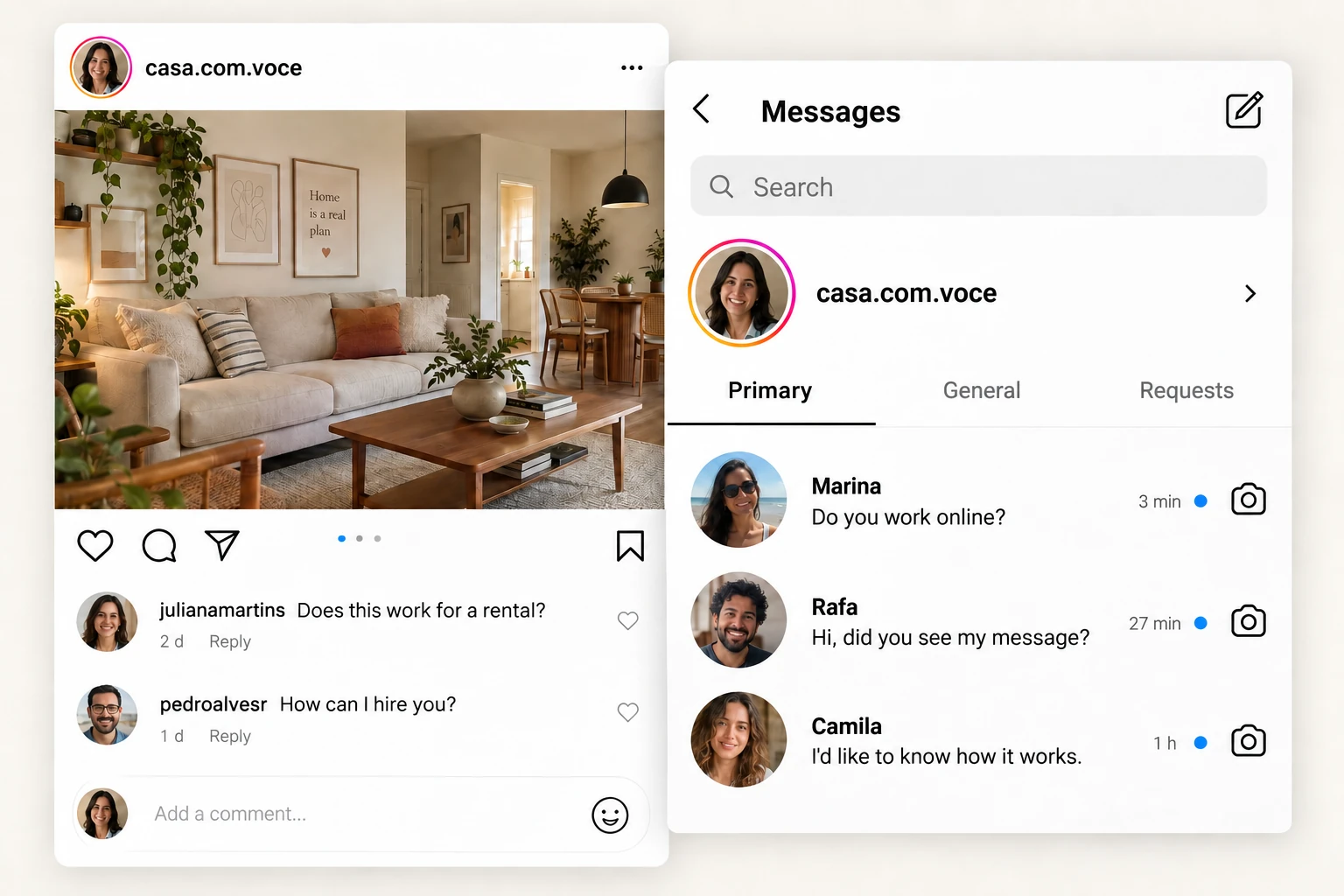
Someone follows your content, asks a question and waits for an answer. That conversation can clear up a doubt, lead to a booking or help an existing customer.
They are already interested. A reply that fits what they saw keeps the conversation going and explains what you offer.
Questions come in while you record a video, teach a class or serve a customer. AI replies within the rules you set and brings in your team when needed.
Content questions, compliments and requests for help also deserve a reply. Each conversation has its own purpose.
“Does this work for a rental?” depends on the carousel. “What about the last example?” depends on the video. The service uses what the person saw, what they asked and the earlier conversation.
We gather what you offer, how it works and which information can be used in replies.
Your posts, captions, videos and past replies show your words, your tone and how you explain things. You approve the examples.
Reads carousel text and images, transcribes speech and interprets what appears in Reels and Stories.
Connects the question to the passage or image the person saw. Uses the earlier conversation to reply, guide the next step or bring in your team.
Together, we choose which content to use, how to keep it current and which conversations AI can handle.
A question about a carousel, advice in a Reel and a Story image. See how the content helps answer each question.
Fictional content and conversations to show how it works.

Would this work for my rental too? I'd like to change my living room without renovating.
Yes! The online consultation in the carousel helps with colors, lighting and furniture you already own, without renovation. What would you most like to change in your living room?
AI reads the slide text and connects the question to the service shown. It understands that the person rents their home and wants to avoid renovation. It answers and keeps the conversation going.

Does the last example work for someone who has never had a job?
Yes. You can use a college project or group assignment. Explain the challenge, what you did and how it turned out, as in the video example.
The transcript provides the spoken advice. The on-screen text identifies the last example as a college project. Together, they support a reply without relying on the caption.
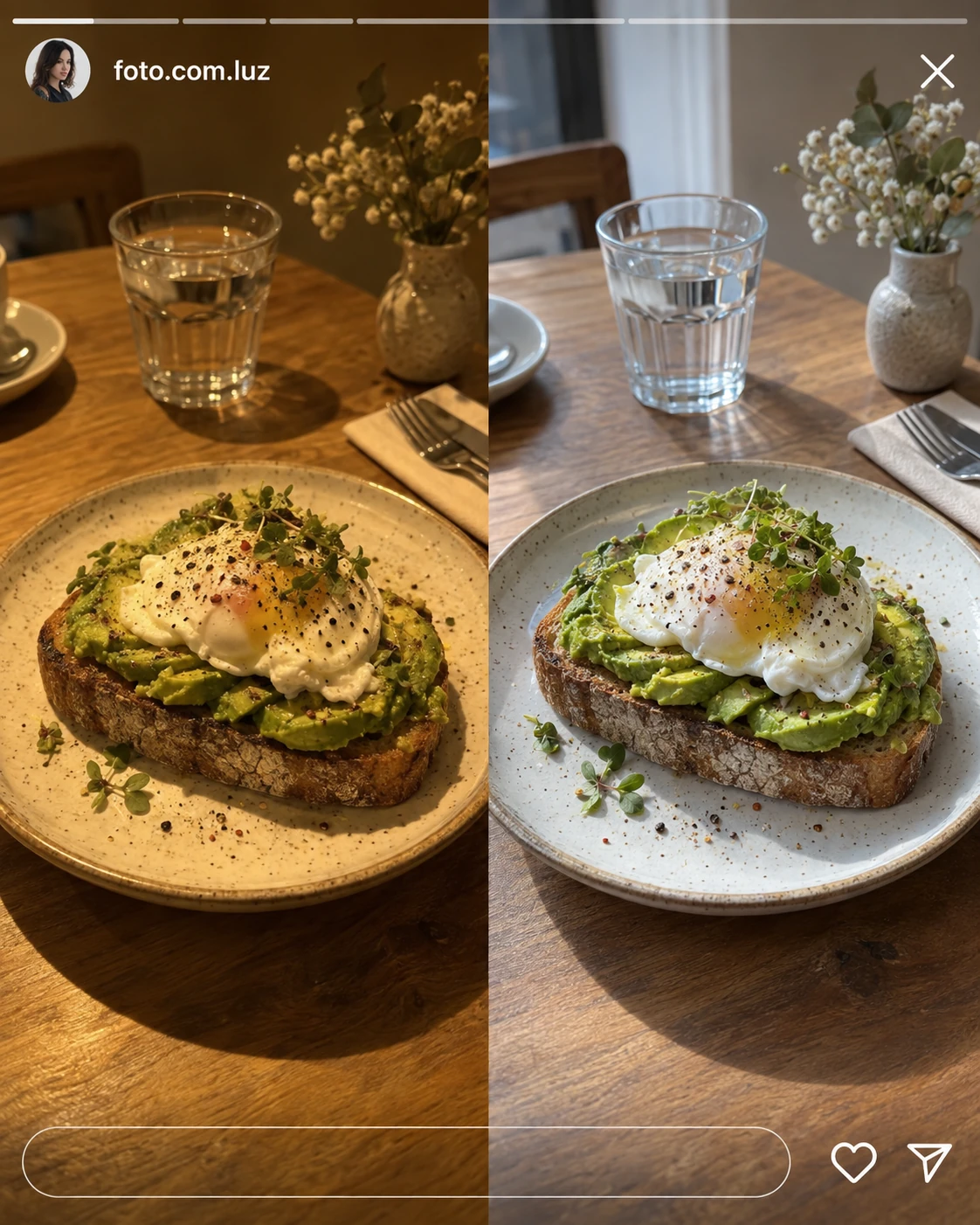
Which of the two lights would you use for food photos?
The one on the right: window light, with the ceiling light off. That's the example where the food's colors look more natural.
AI uses the Story image linked to the message to identify the two options. It replies about the comparison the person saw, even when the caption does not repeat that information.
Beyond explaining your content, AI can save a contact, prepare a quote request or check a time slot. We connect what makes sense for your daily work.
Save who asked, what they need and who should follow up.
Check availability and book or reschedule through your calendar system.
Gather the information your team needs to prepare a proposal.
Pass on the conversation and what has been explained to the person taking over.
Check purchases and access to guide existing customers.
Send the payment link and check confirmation in the connected system.
Ask for the information needed and organize the next step.
Connect your business tools to look up information or carry out an action.
Integrations are chosen in the proposal. Bookings, payments and other actions require confirmation from the connected system.
Start with text questions, include the content behind them and connect other steps in your customer service.
Replies to text questions in DMs, using your business information and your brand's way of speaking.
Images, videos and public comments can be included in a broader plan.
Let's talk about this planCustomer service that understands the post, Reel or Story behind the question.
We define which content to include, usage volume and how to update information.
Let's talk about this planConnect replies to your calendar, CRM or the systems you already use.
You choose the integrations and actions needed. Available features depend on each system.
Let's talk about this planServe existing customers knowing what they bought, what has been resolved and what help they need.
We use authorized systems and records to check purchases, access and history.
Let's talk about this planChannels, content, volume, integrations, setup and cost are defined in the proposal.
We use your real content and conversations to set up replies. You check the examples before the service starts.
We review the questions you receive, what takes time and when your team needs to take over.
We select posts, videos, past replies and current business information.
We define what to answer, which content to use, when to bring in a person and which systems to connect.
We test clear questions, references to slides and videos, and cases with missing information. We adjust replies before switching on.
You decide when AI replies and when a person steps in. If information is missing or someone asks for a person, the conversation is passed on with what has already been said.
AI uses information you approve. Prices, terms and rules need to stay current as the business changes.
We study your posts, captions, videos and past replies. They show the words you use, your tone and how you explain things. You review examples to refine the replies.
Yes, with a plan that includes this content. AI reads text, interprets images and considers slide order to understand references such as “that phrase on the second slide”.
We use the speech transcript and relevant visuals from the video. Replies can draw on a spoken explanation, on-screen text or a demonstration, even when they are missing from the caption.
We can include voice message transcription. Media types, access and volume are defined in the proposal.
We agree on how to add new posts and update information. The frequency depends on your workflow and the service you choose.
Yes. We set up handoffs and pause automatic replies when a person takes over.
We first review the tools you already use. We connect the available features and the actions your customer service needs.
We can configure the service for the hours agreed in your contract. Service hours, support and usage volume are listed in the proposal.
Cost depends on channels, content, volume and integrations. The proposal separates setup, ongoing service and external tool costs.
Your profile, content, example replies and current business information. We also need authorized access and someone on your team to review the replies.
Tell us what you do and how you handle replies today. We can start with a carousel, Reel or Story to see what your replies need to cover.